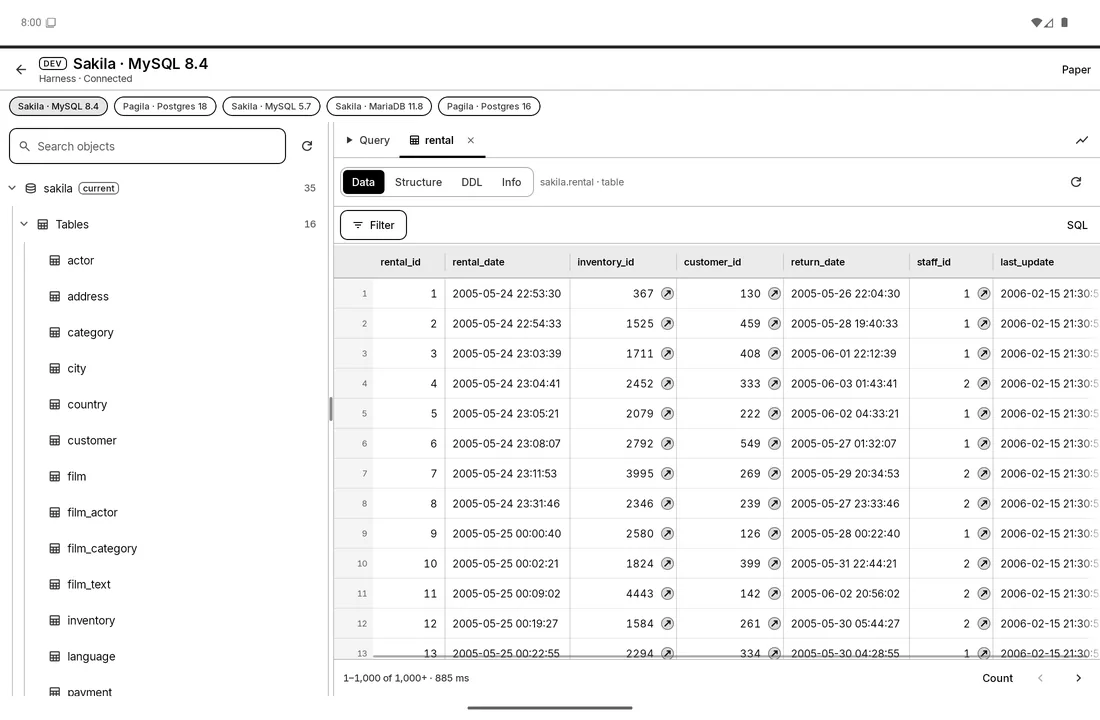
Run a query, fix a row, check on a slow server. From your phone on the train or your desk at work. MySQL, MariaDB, PostgreSQL and SQLite, and every change shows you its SQL before it runs.
Android · Windows · Linux · macOS
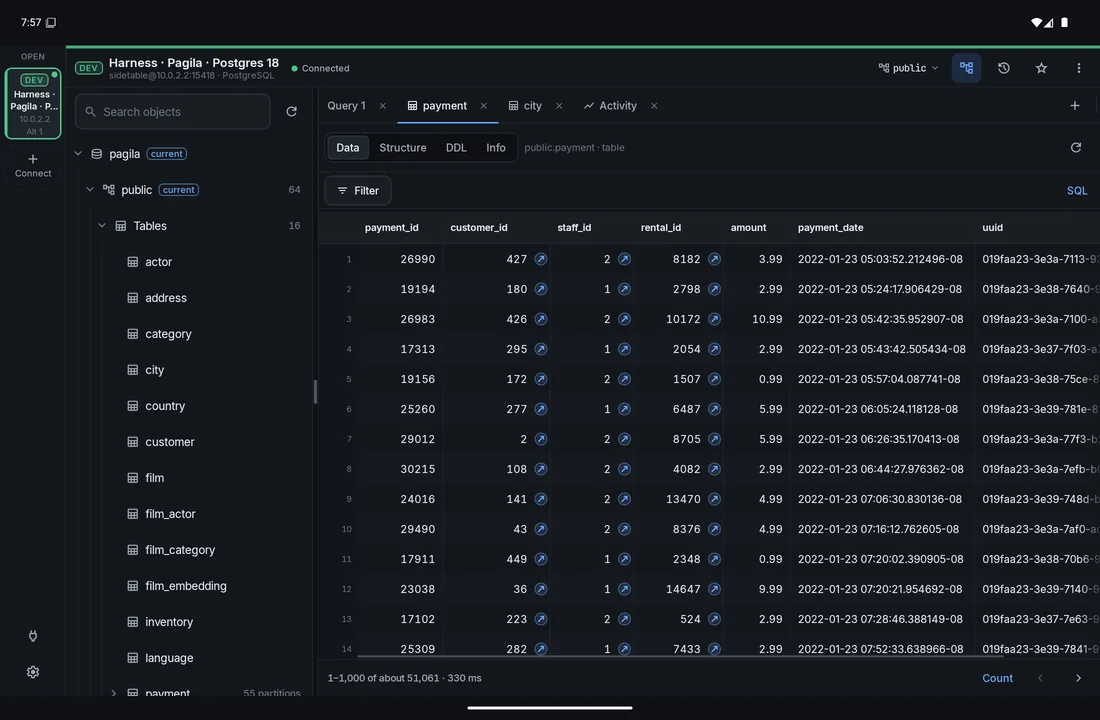
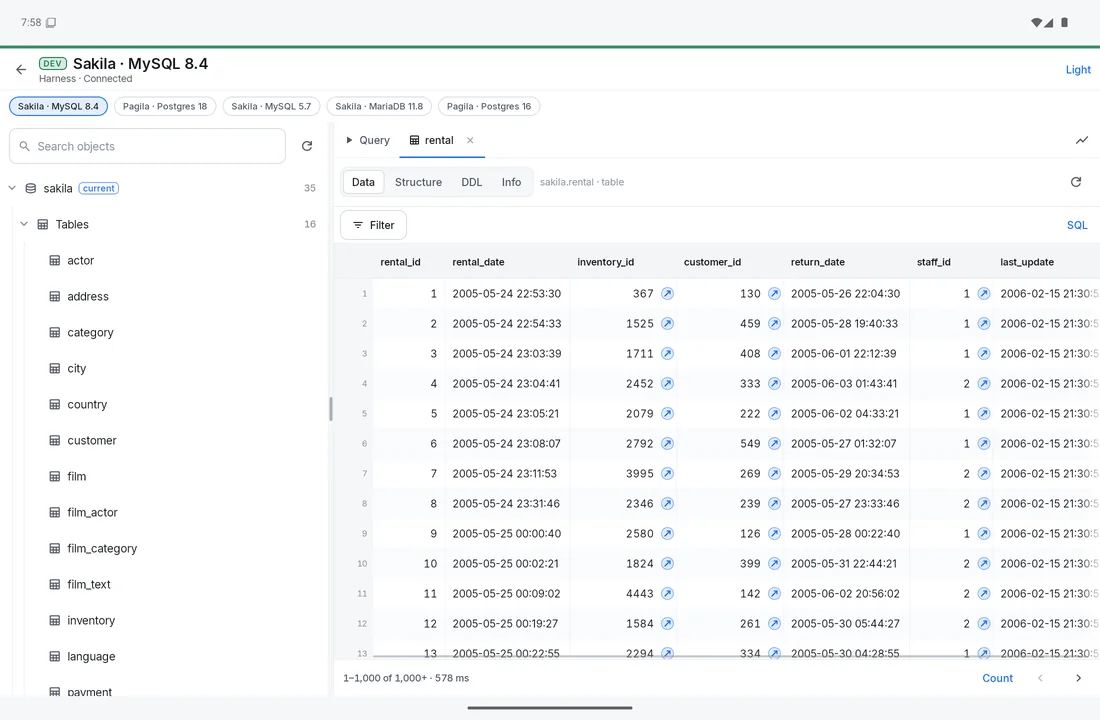
The same editor, grid and schema tools on a phone, a tablet, a foldable and a desktop. Here's where each one stands today.
Phones, tablets and foldables.
An installer and a portable zip, with the same screens as Android. It's what we use every day.
A .deb package and a portable tar.gz.
A disk image, with the same screens as Android.
It's on the list. We'd rather do Android and desktop well first.
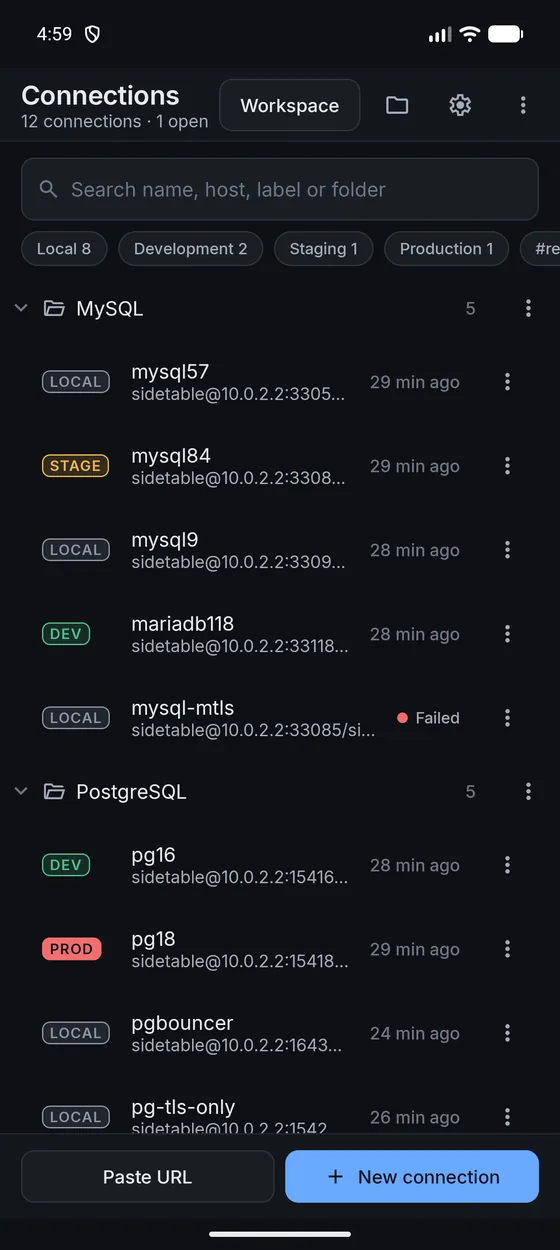
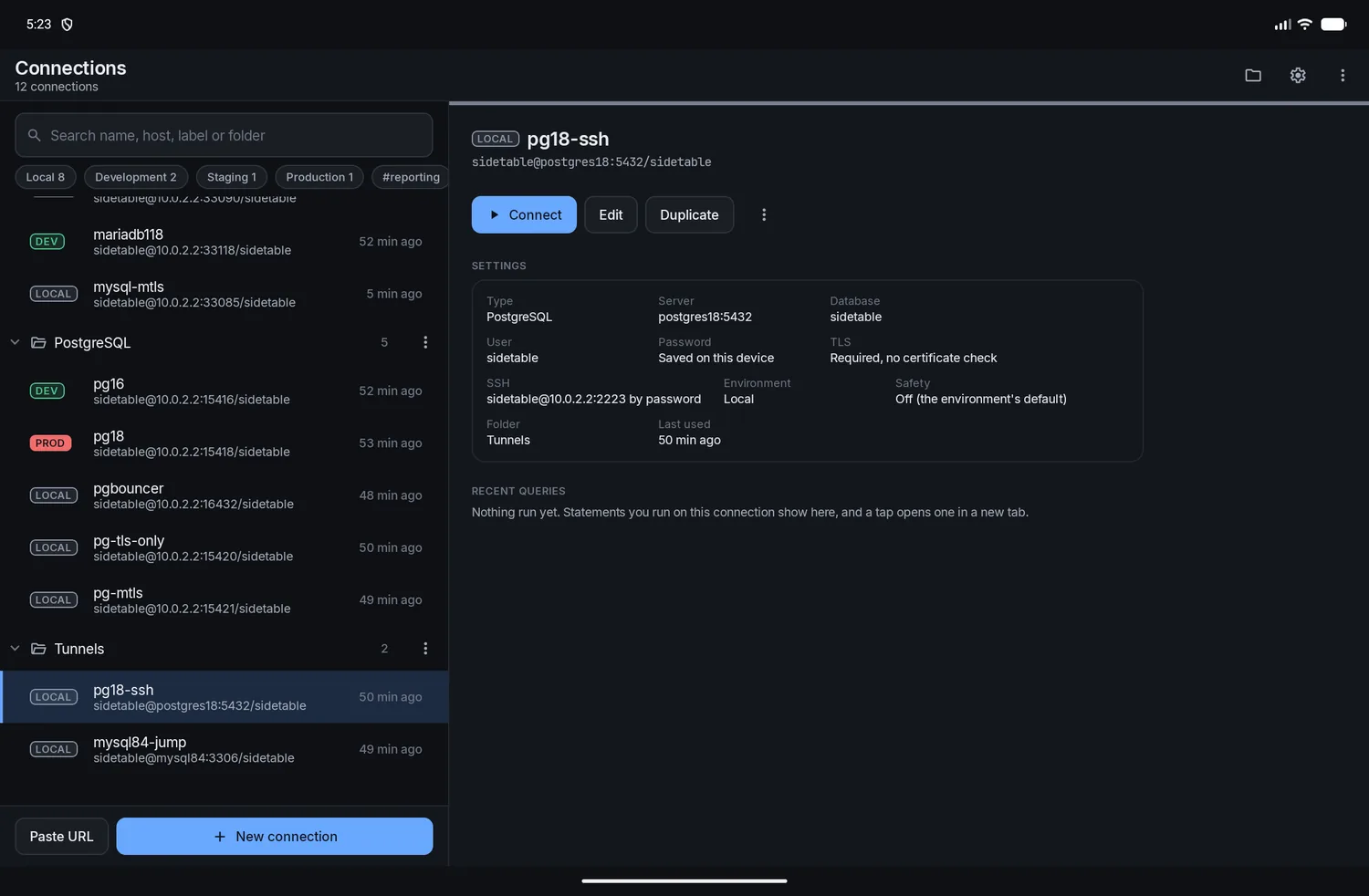
Tell each connection where it lives. Production wears red, slows you down at the right moments and stops the things that usually go wrong at 5 on a Friday.

Pick one when you save a connection. Every default can be changed per connection, and you can add your own environments or give any connection its own color.
Your SQL runs as you typed it. Grid edits still get a review.
Auto-commitThe same, for a shared dev server where mistakes are cheap.
Auto-commitWrites go through the review sheet first.
Smart commitWrites go through the review sheet first.
Smart commitReview first, then unlock with your fingerprint, a PIN or the database password. The bar across the top is striped.
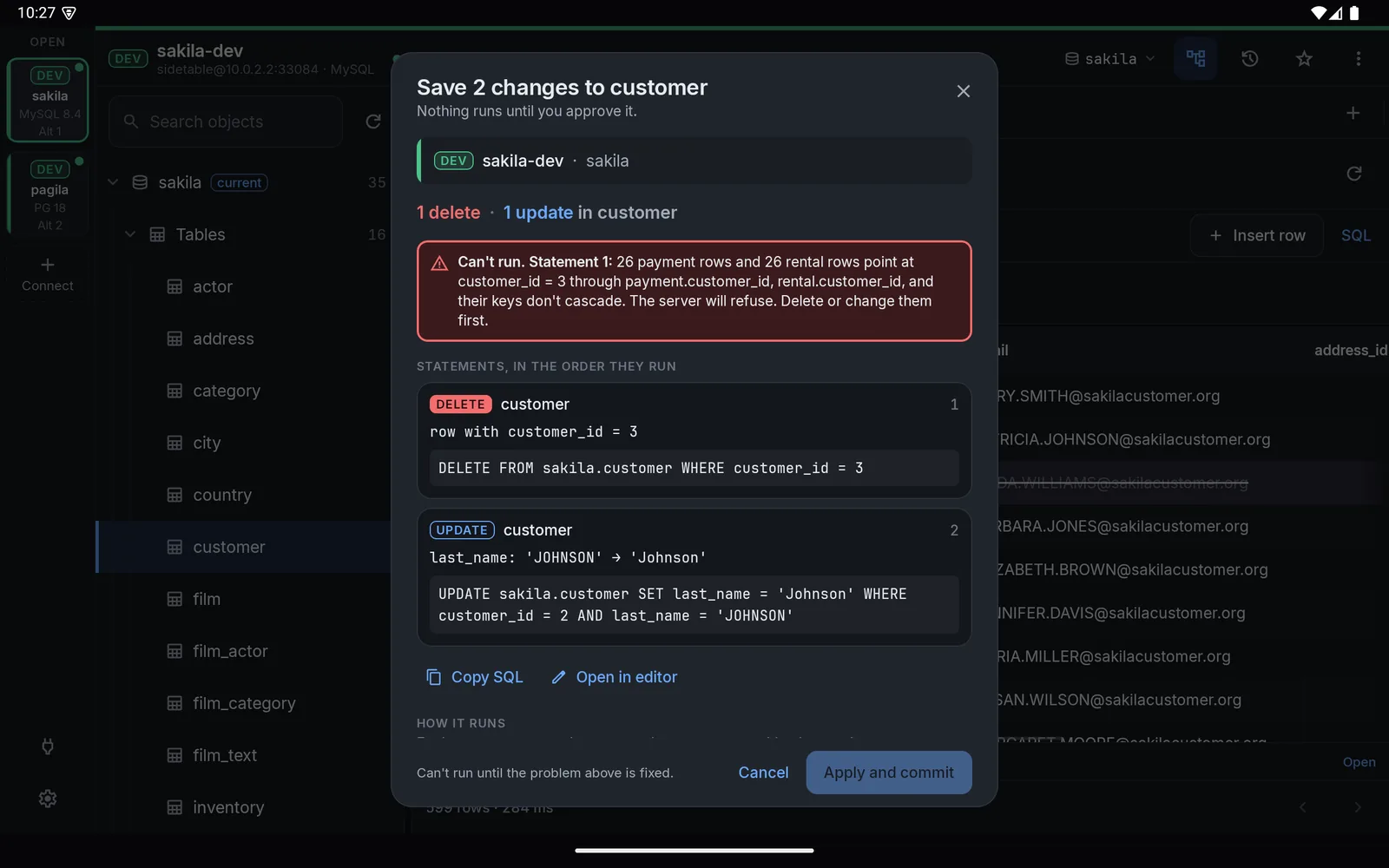
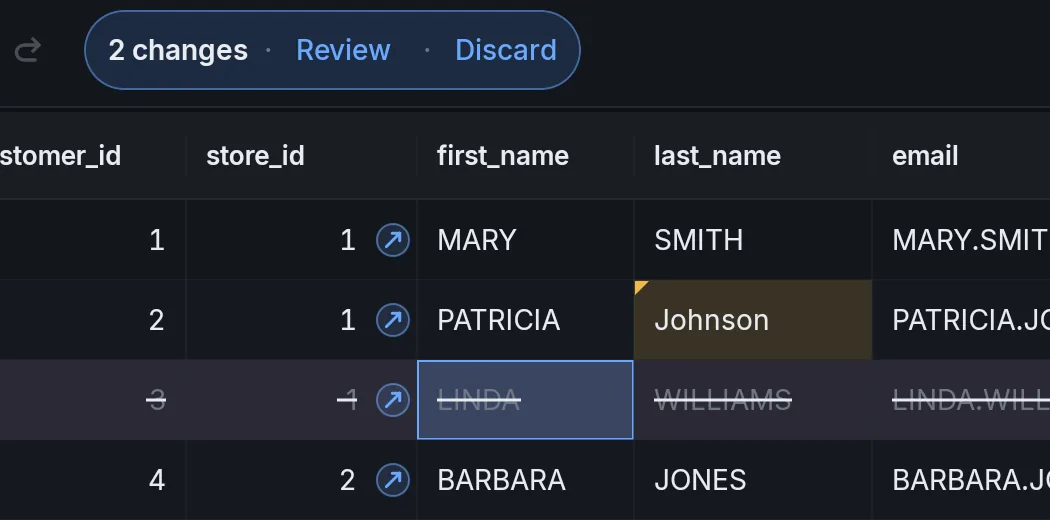
Smart commit, plus limitsChange cells in the grid or a form, across as many tables as you like. Review the whole batch as one plan and it runs as one transaction. Change your mind about one edit and you can drop it from the review without losing the rest.

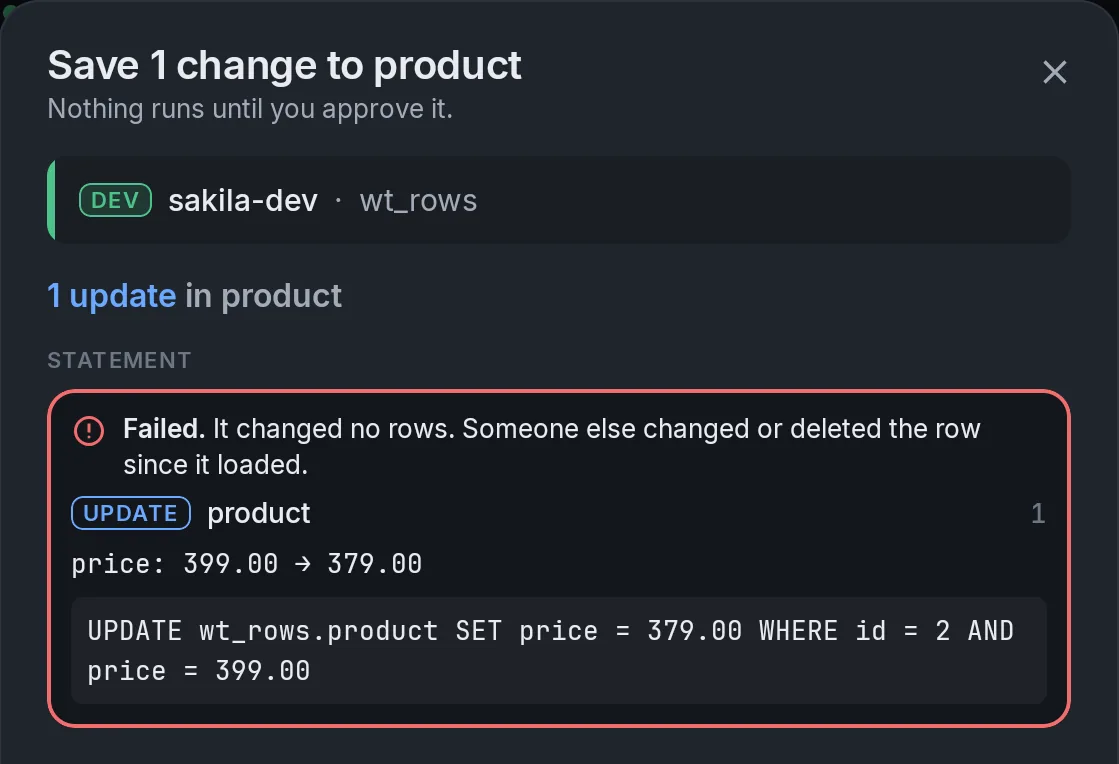
If the row changed on the server after you loaded it, you find out in the review. You don't overwrite a colleague by accident.

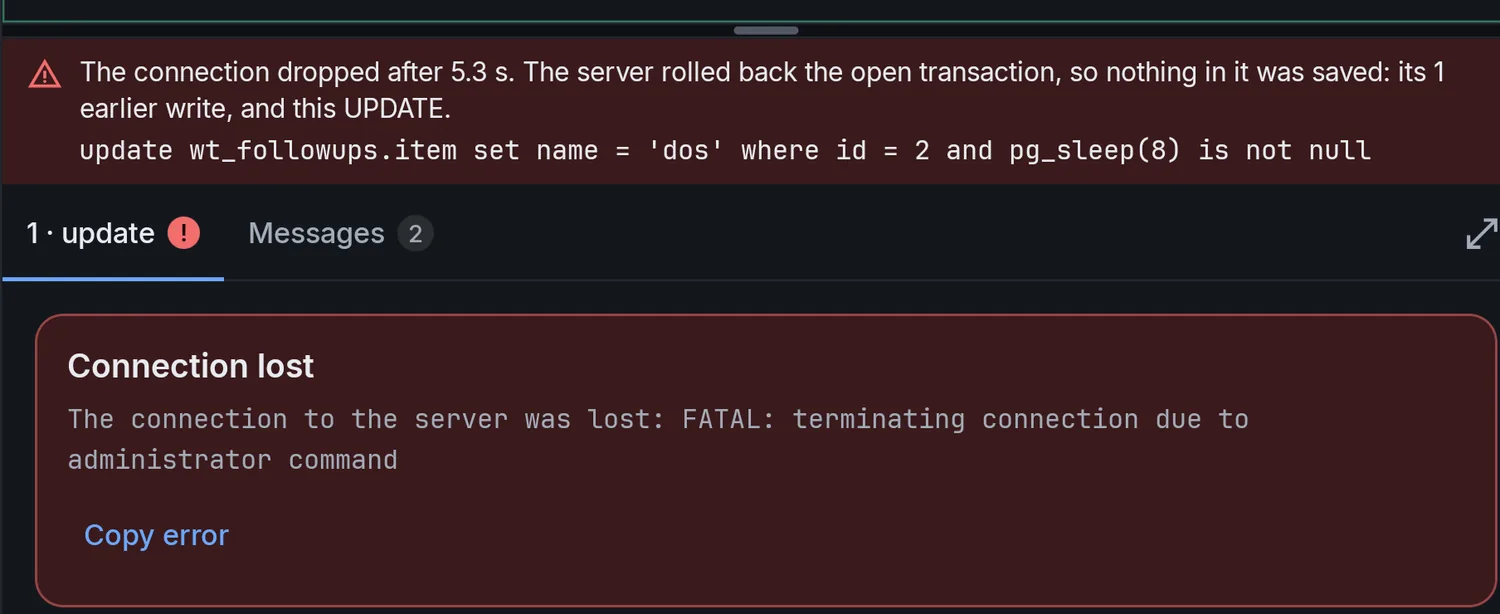
When your connection drops in the middle of a write, you don't have to guess. It tells you whether anything was saved.

Click any screenshot to see it larger.
Highlighting, completion that reads your tables and aliases, join suggestions and a formatter. Run a statement, a selection or the whole script.
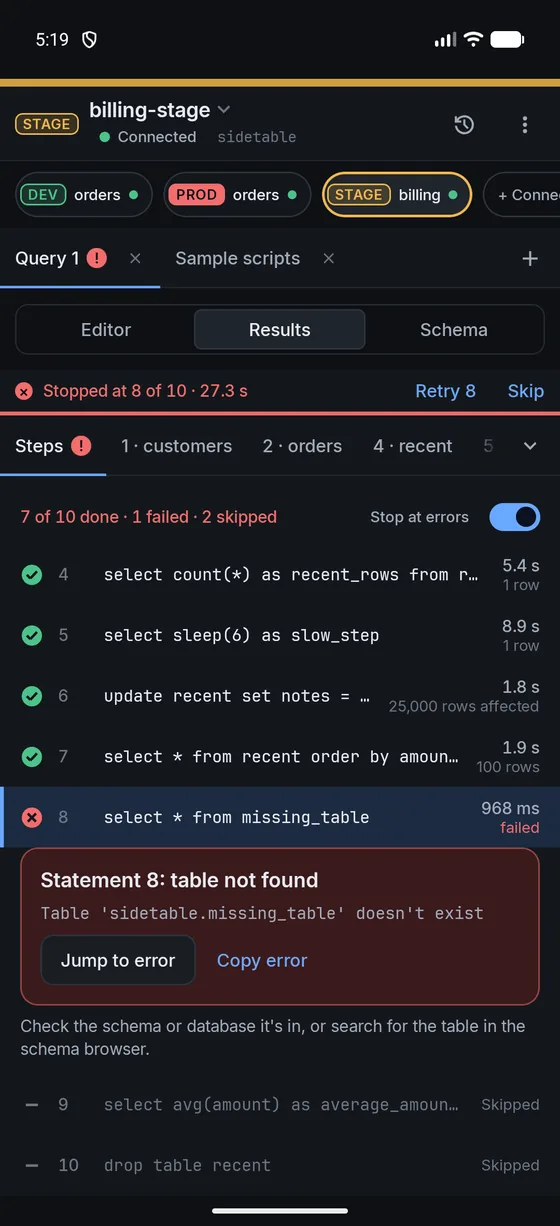
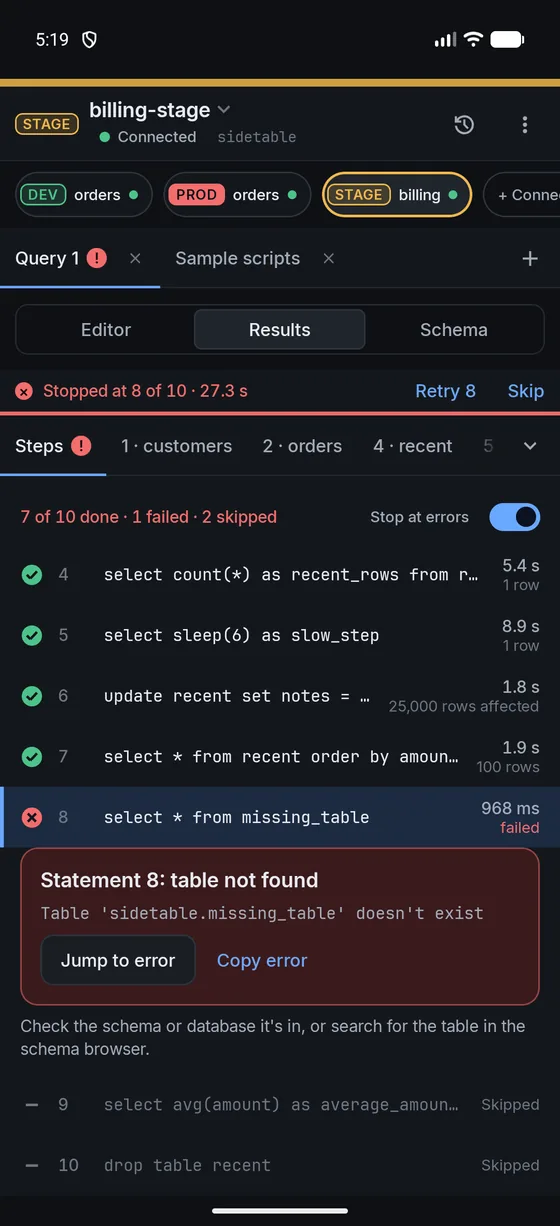
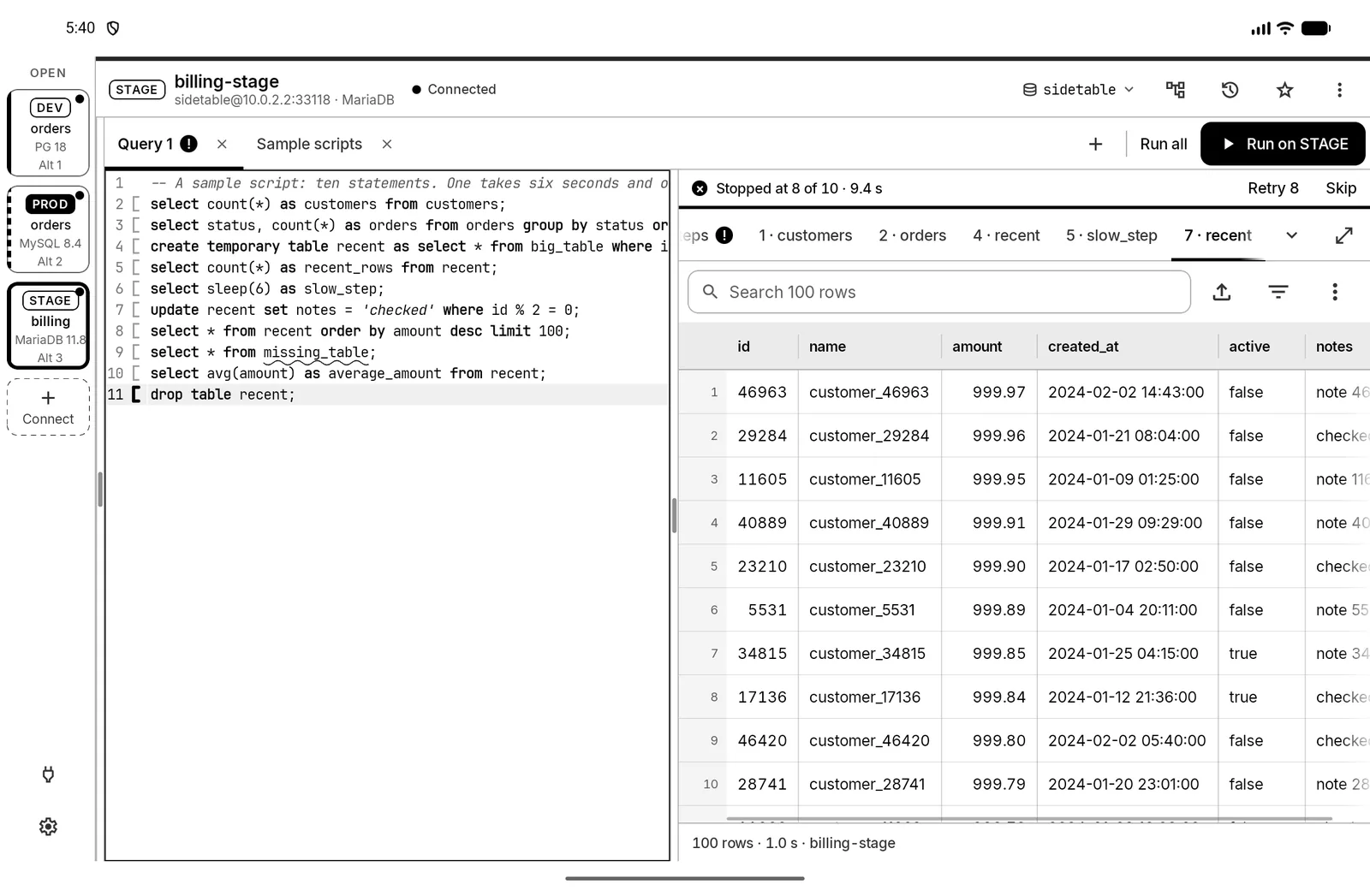
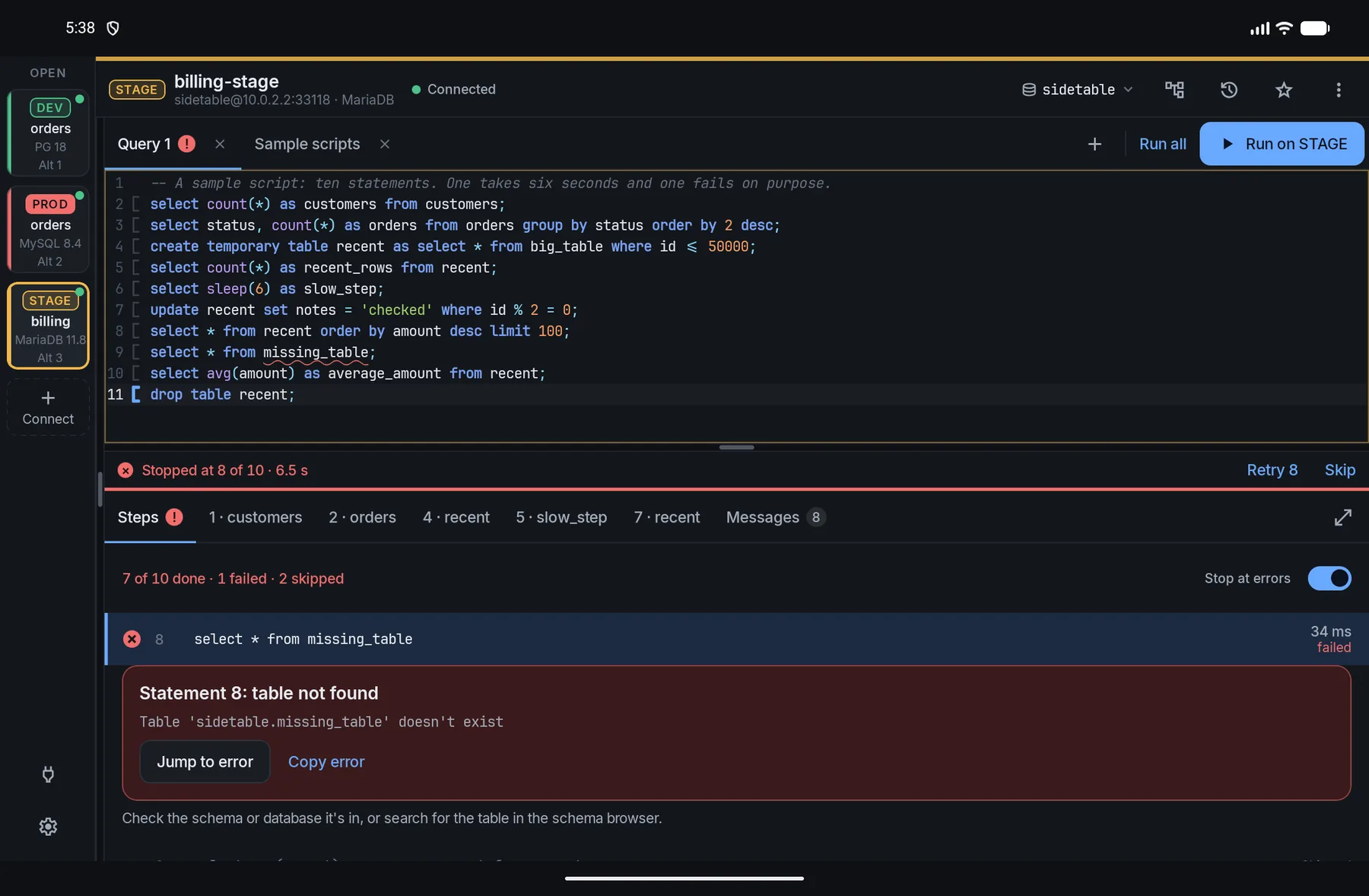
Each statement gets its own line with a time and a result. When one fails, the server's error is explained in plain words, and you can jump to it, retry it or skip it.

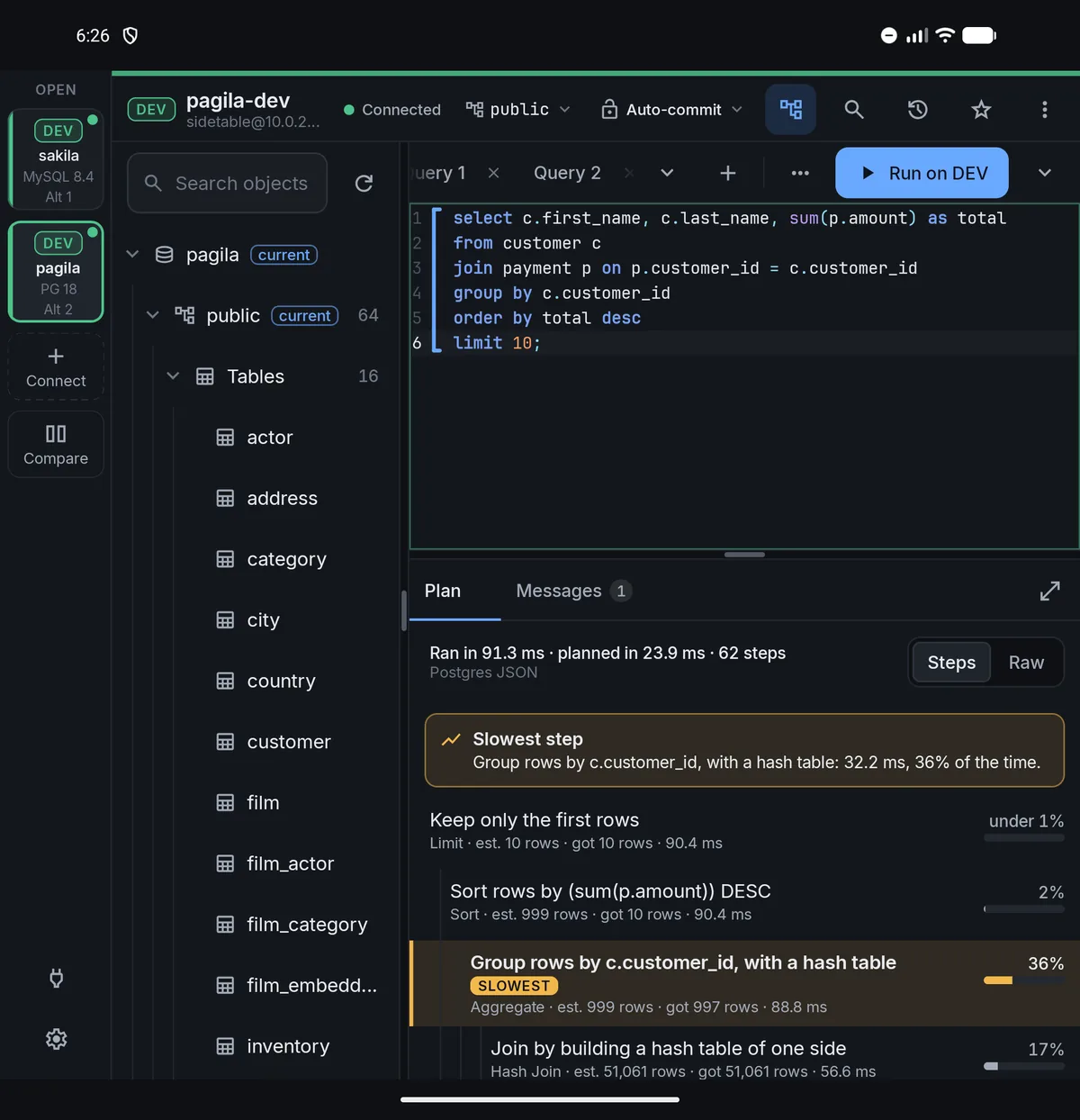
Explain turns a query plan into plain steps, shows what each one costs and points at the slowest. It asks before it analyzes anything that writes, then rolls it back.

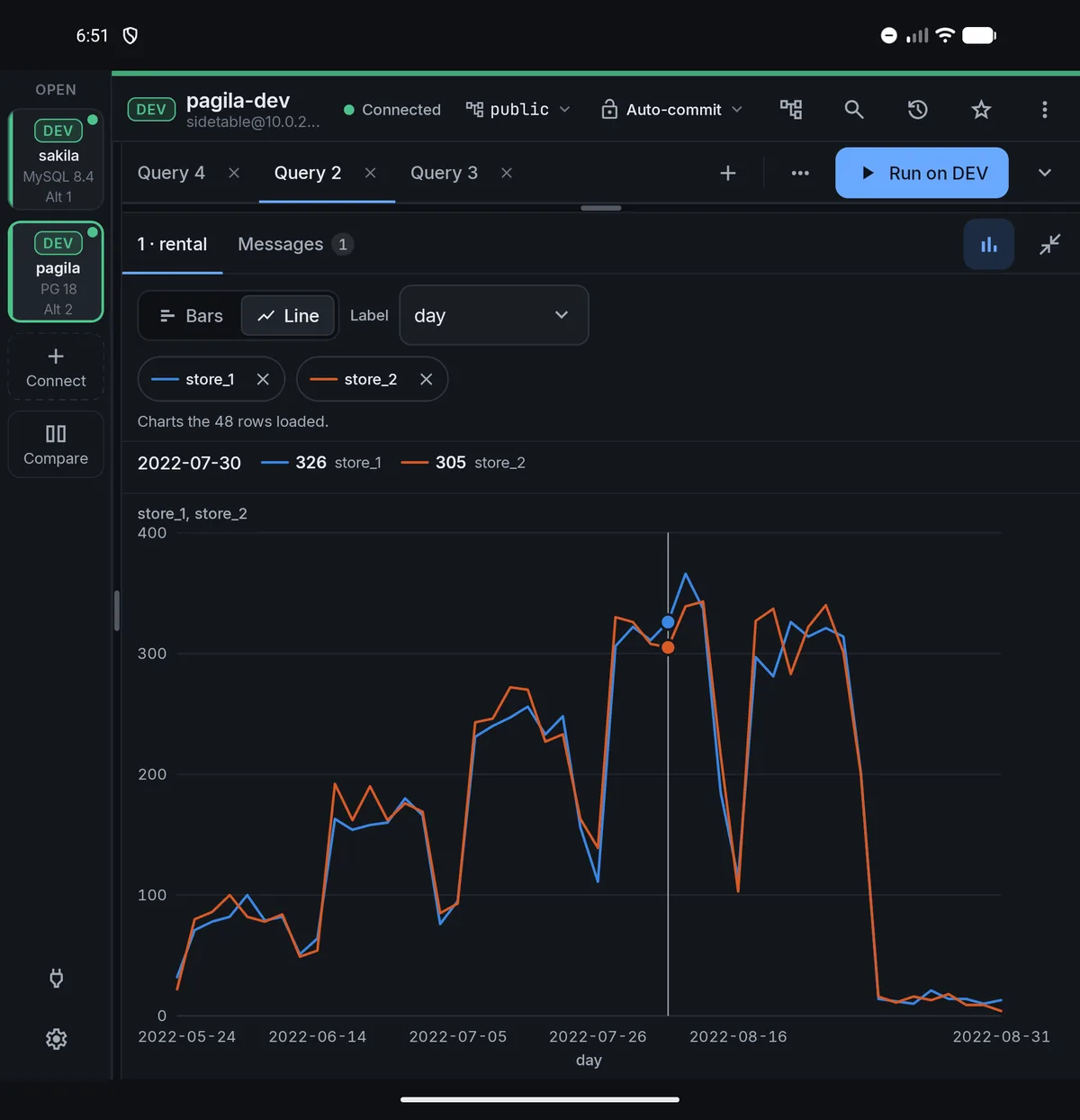
Turn the rows you loaded into bars or a line without leaving the app. Run the same read on two connections, say production and staging, and Compare lines the rows up by key so the differences stand out.


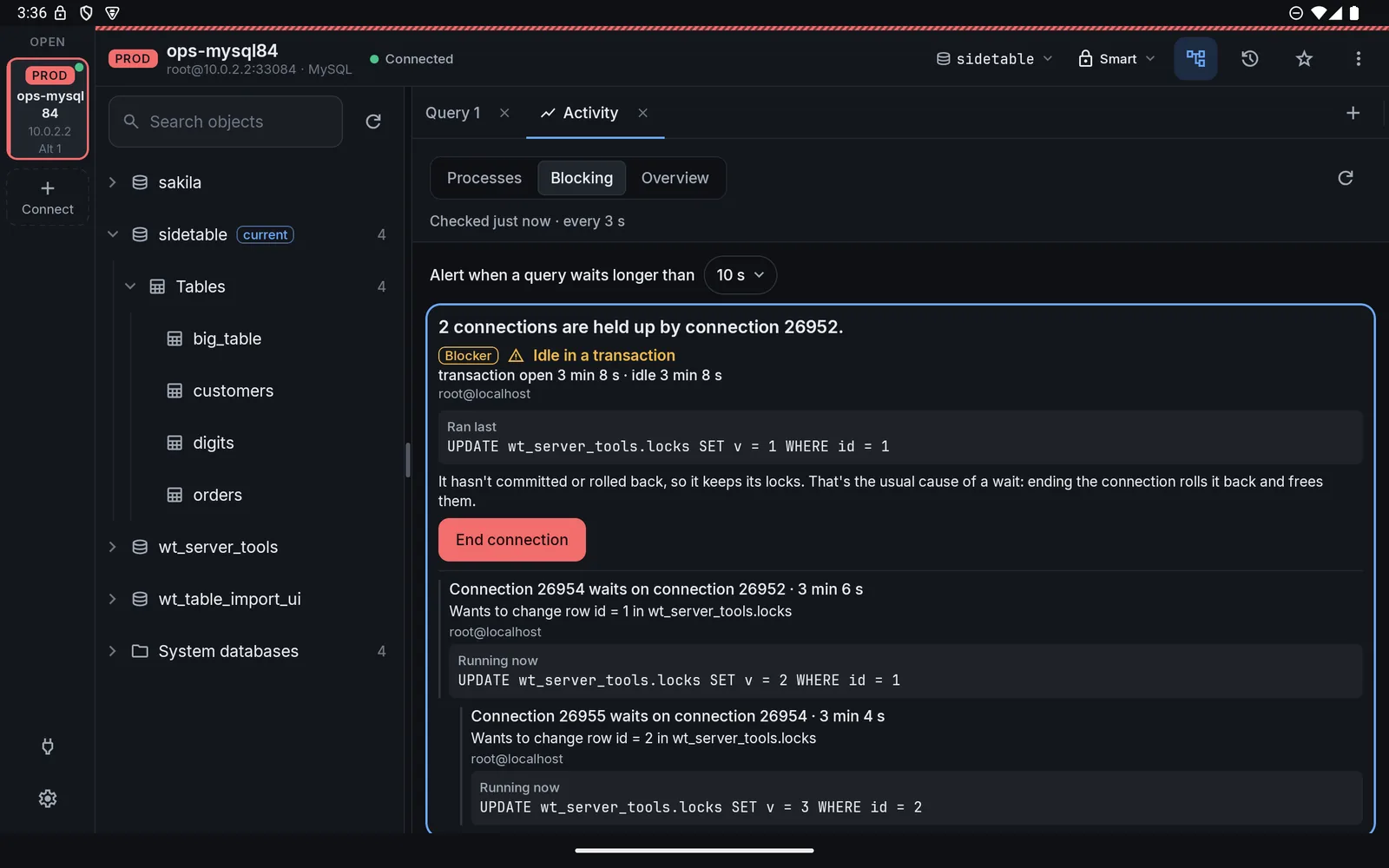
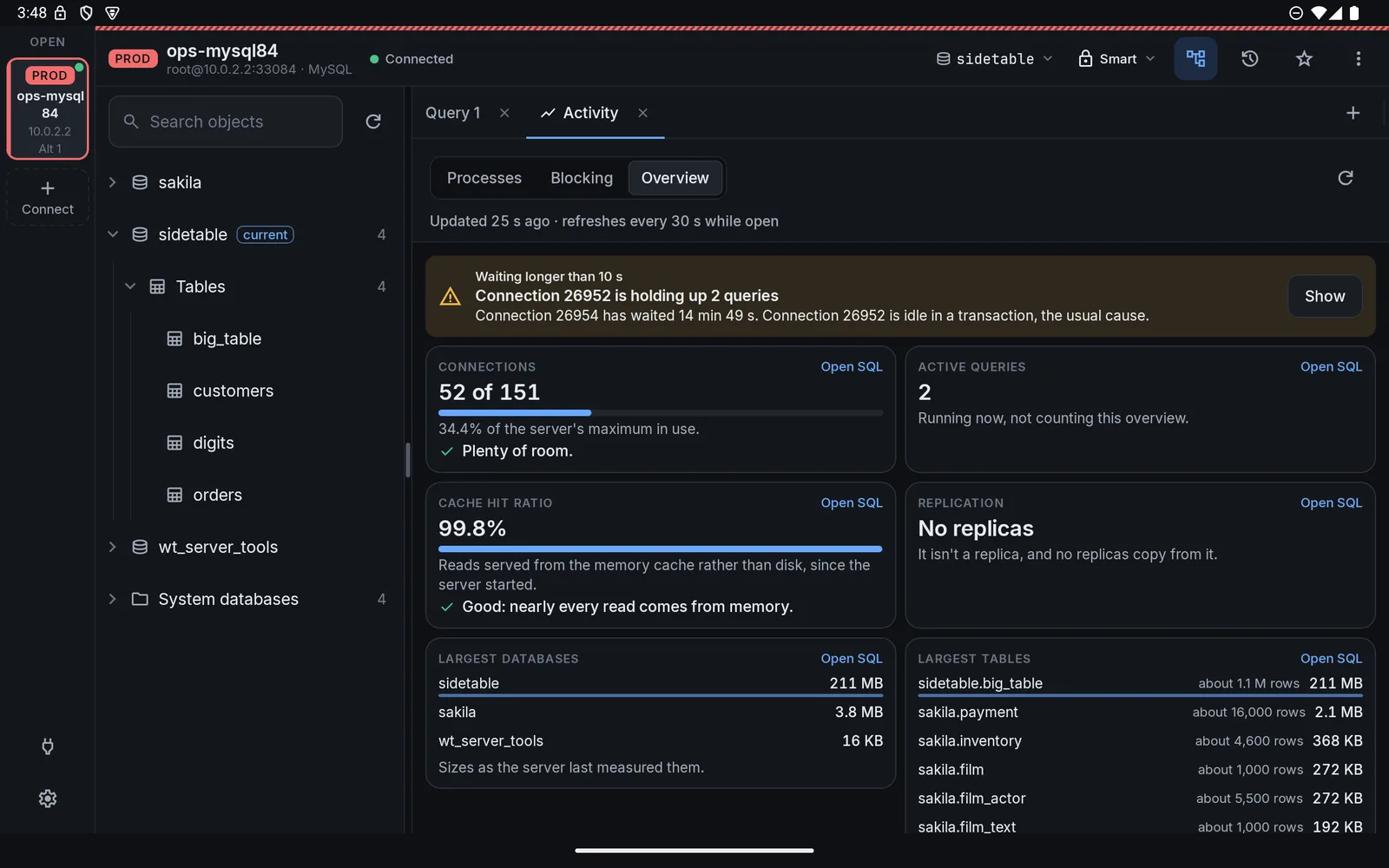
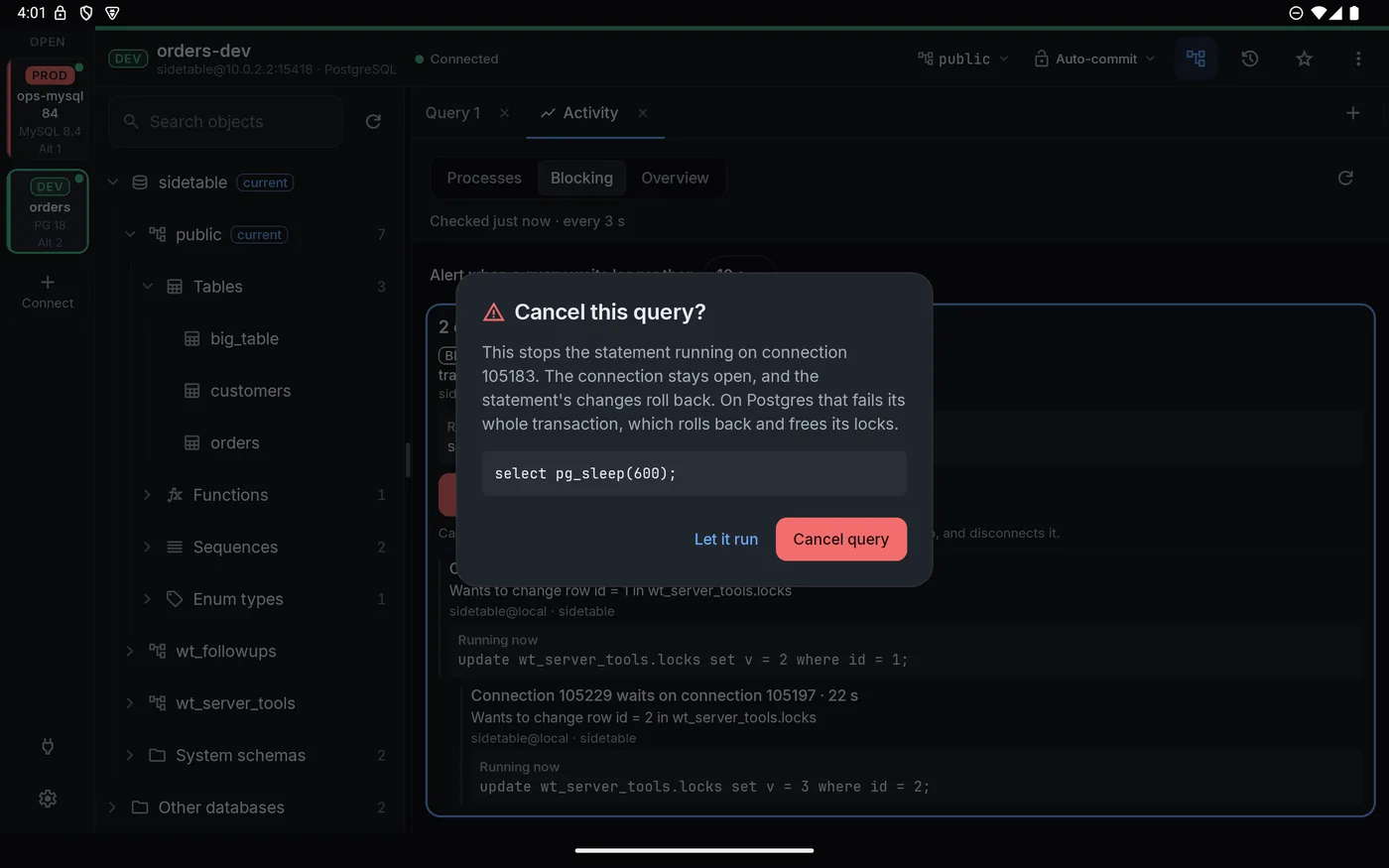
The Activity tab shows running queries and, when one is stuck behind another, the whole chain. It tells you which connection is holding things up, what it last ran and what usually causes it.


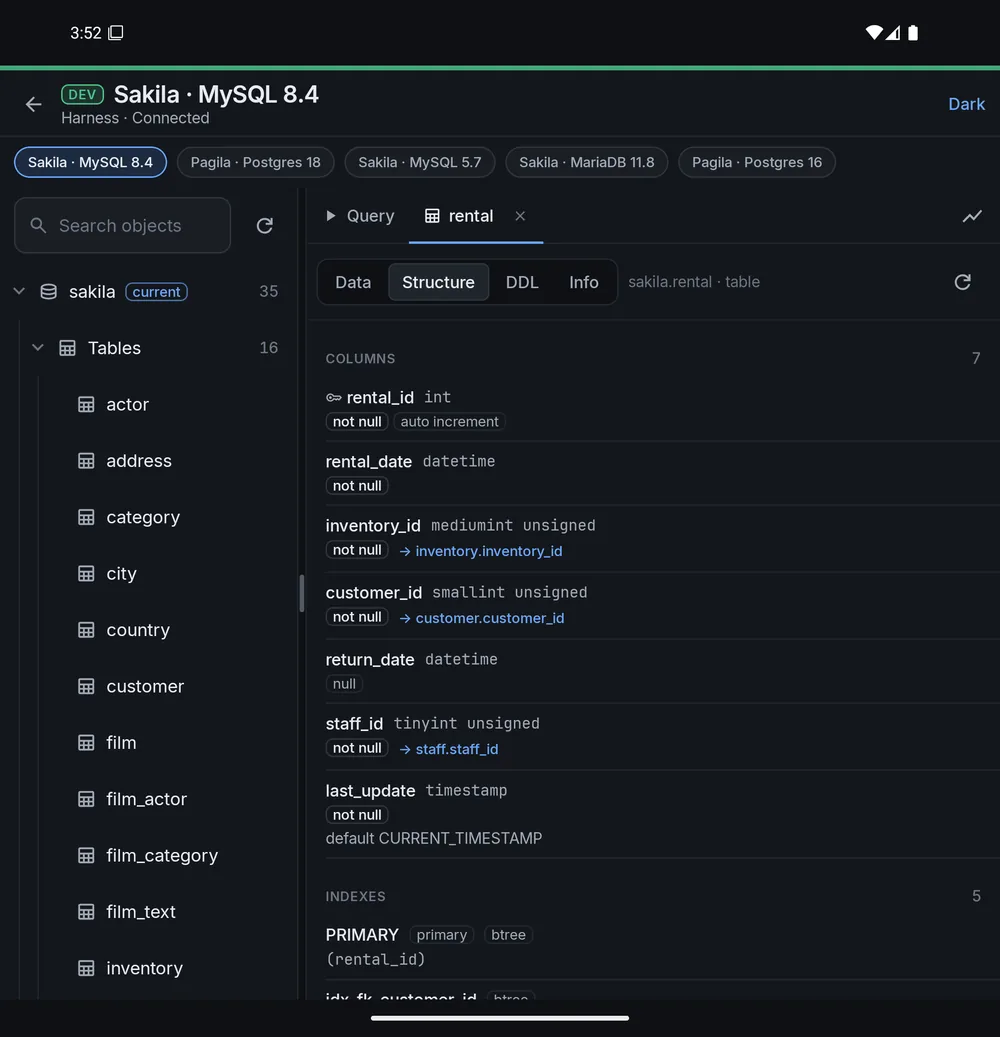
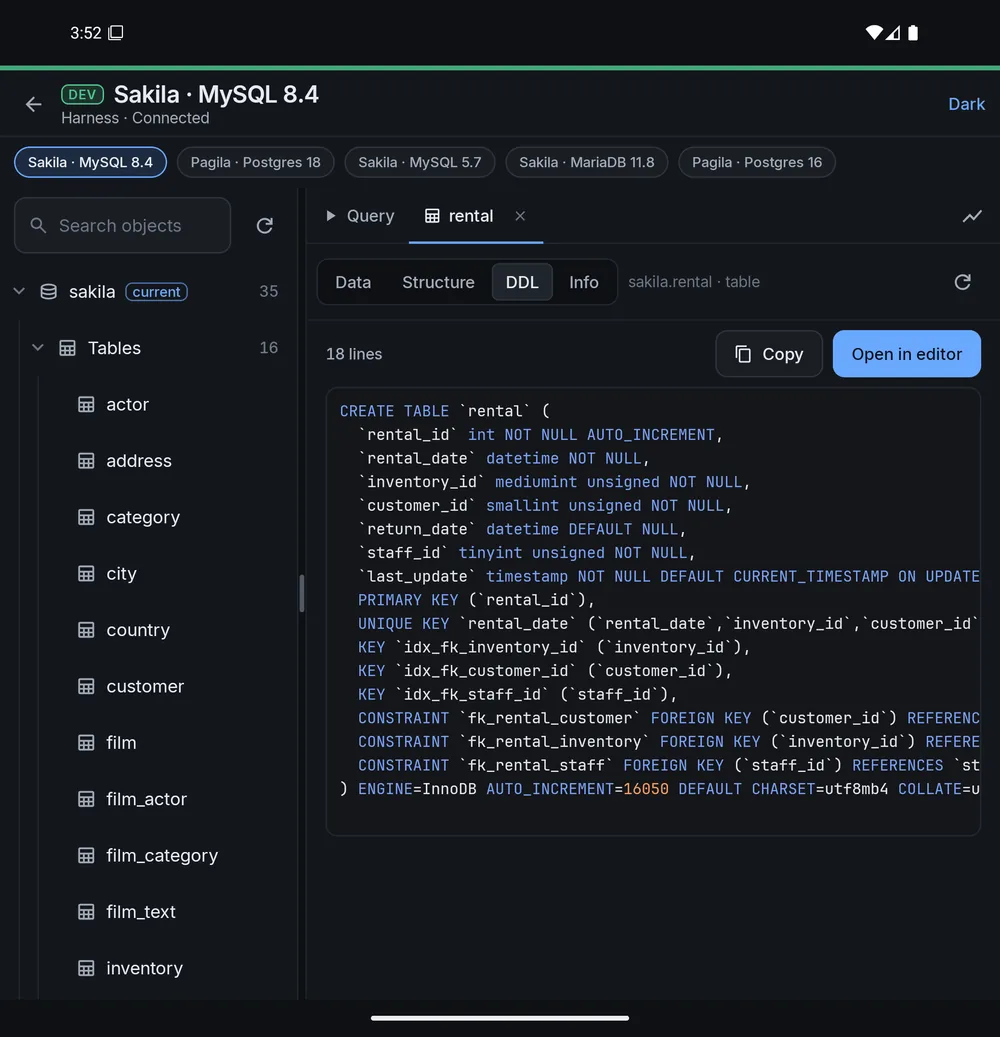
Big tables, odd files and a pile of connections to carry around. All of it is fine on a small screen.


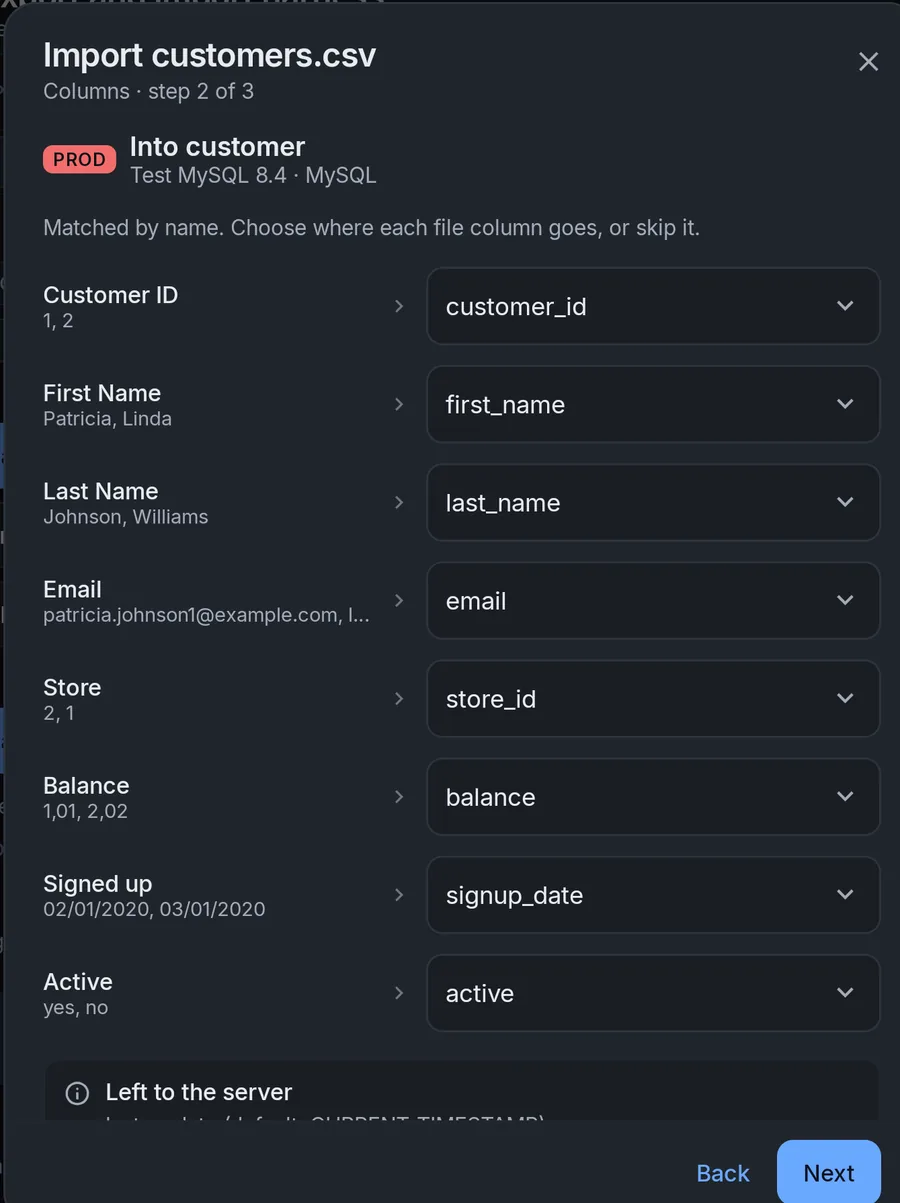
Import CSV and XLSX files into an existing table, or let Sidetable guess the column types and build a new one. It checks every value first and skips bad rows with a report, instead of failing halfway.

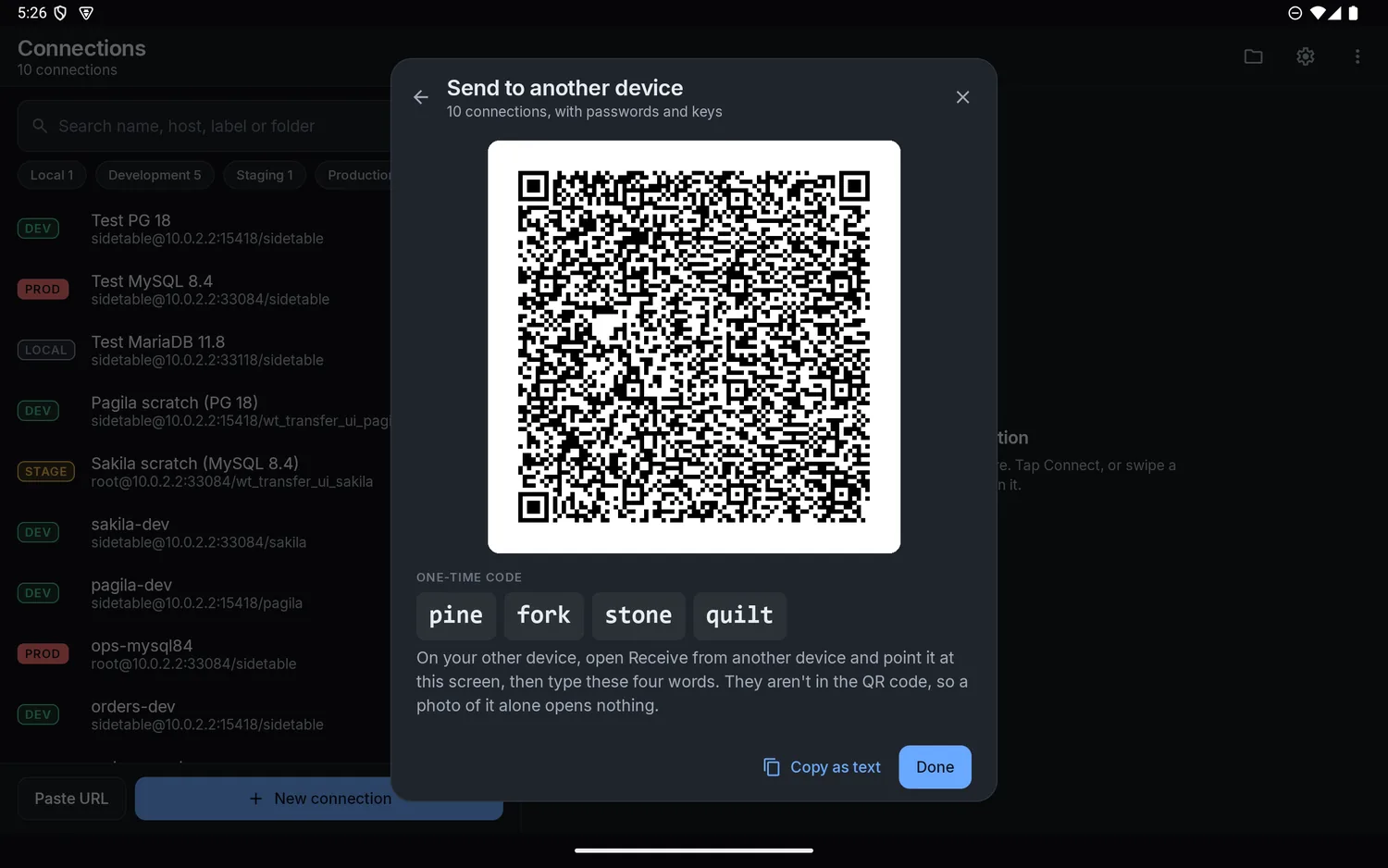
Pick one connection, a folder or all of them. Sidetable shows a QR code, and you type a four-word code on the other device. The code isn't in the QR picture, so a photo of your screen opens nothing.

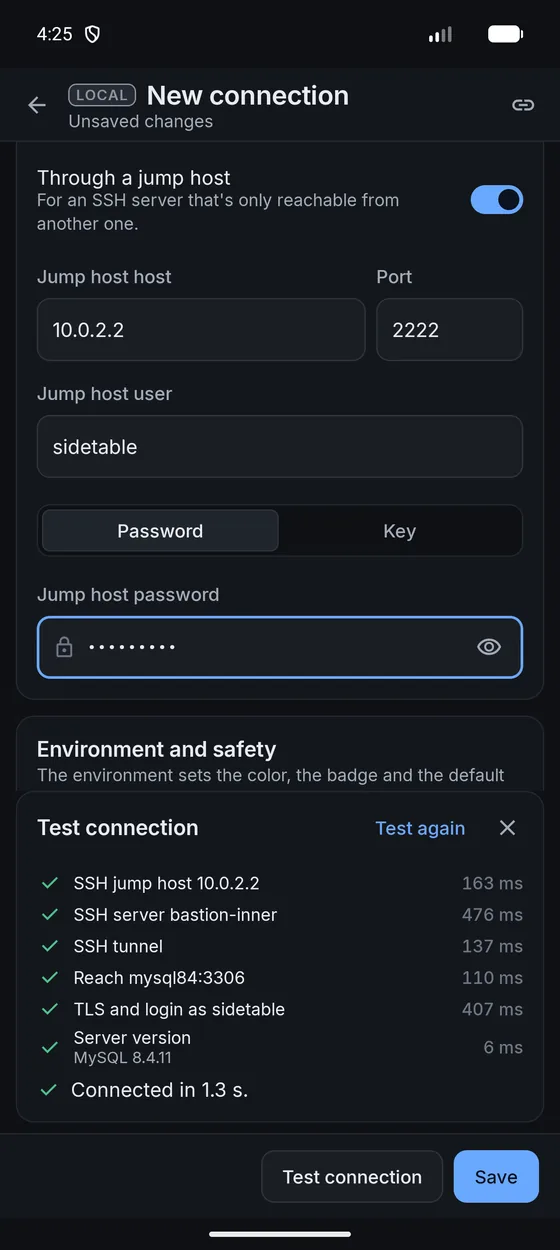
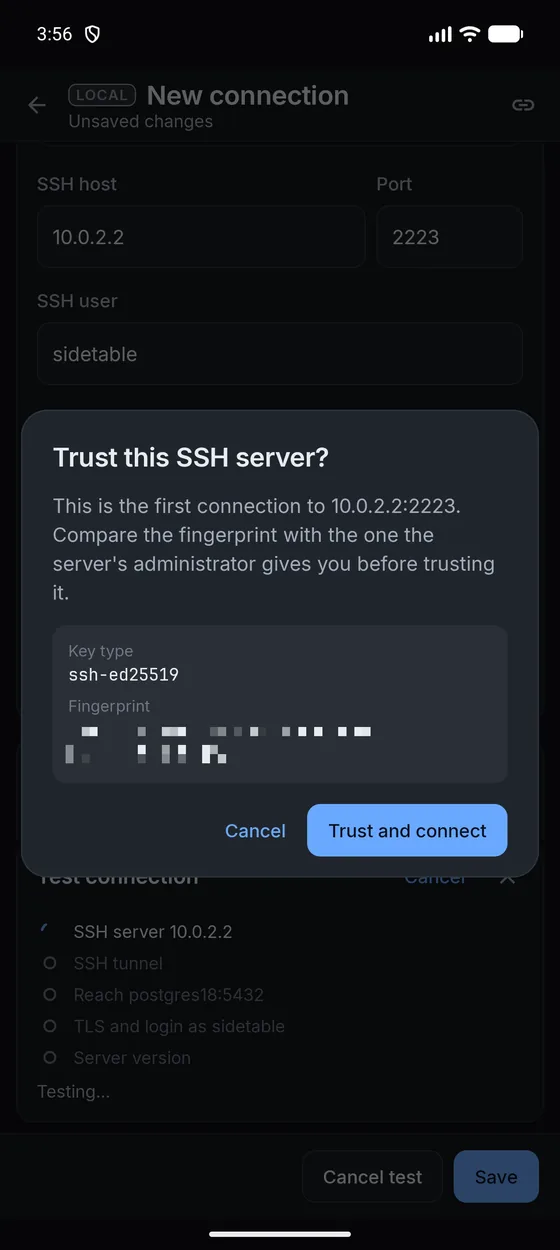
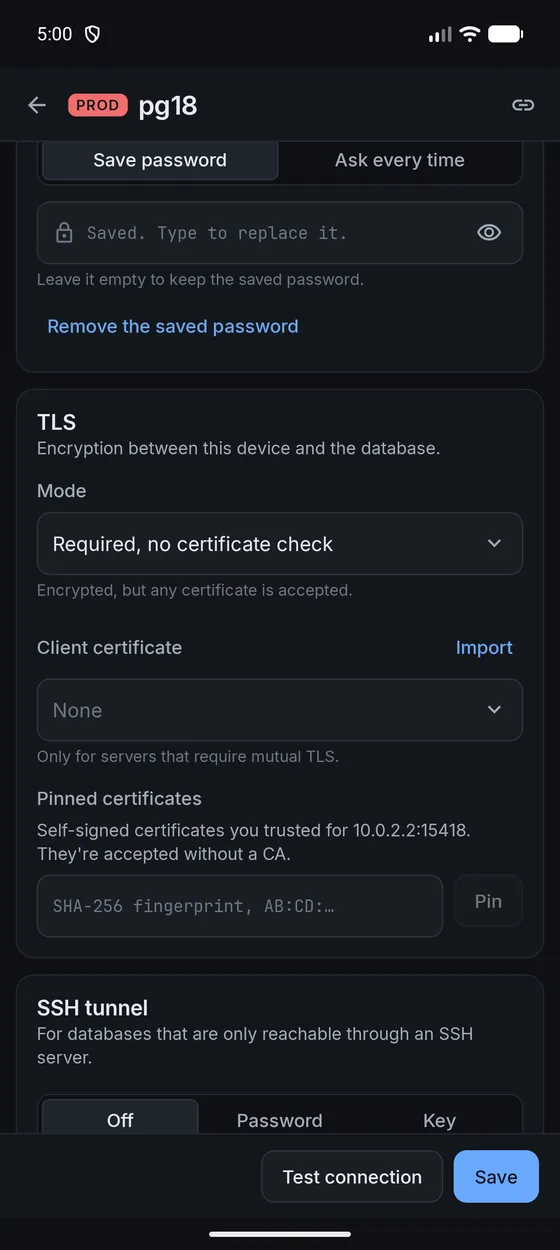
SSH tunnels, jump hosts, TLS and client certificates are all in the connection form. When something fails, the test tells you which step it was.


~/.ssh/config.
It's off until you set it up, and you choose where it runs. Point it at a model on your own computer, such as Ollama, LM Studio or Docker Model Runner, or at any service that speaks the OpenAI API with your own key.
select c.name, count(*) as films from category c join film_category fc on fc.category_id = c.category_id group by c.name order by films desc;
Paper is a high-contrast black on white that stays readable in bright sun. Layouts adapt from a small phone to a foldable to a wide desktop, and they hold up with large text.


On Android, start a long query or a big export, switch to something else and get a notification when it finishes.
Lock the app with your fingerprint or a PIN. Passwords are encrypted with a key held by the Android Keystore.
On Windows, saved secrets are sealed with DPAPI. On Mac they use the Keychain, and on Linux the system keyring.
Search every command, record a new key combination and see conflicts before you save. Mac defaults use Command.
Auto-commit, Smart or Manual. A bar shows what's open, how many writes and for how long, with Commit and Roll back. Leave the app and a notification offers both.
Every write you run is logged per connection, with the statement and the values.
Postgres notices and MySQL warnings show up next to your results, where you'll actually see them.
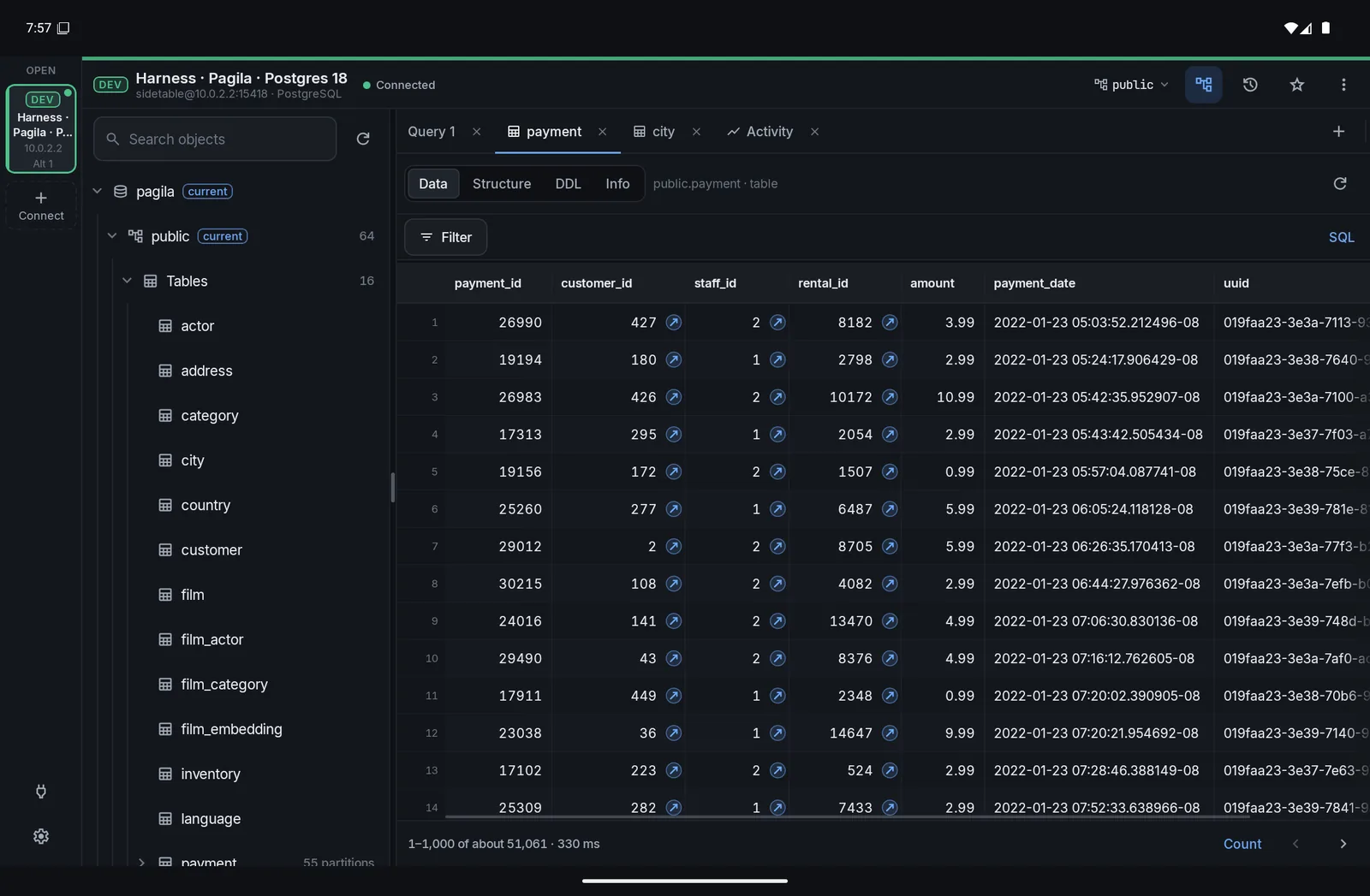
Reads load in pages. You choose when to load more, and Load all warns you about the size first.
Results from a single table can be edited in place and go through the same review as everything else.
Open a database file on your phone or computer. On Android it works on a copy, and a bar asks before it saves back or exports one.
A row of SQL symbols sits above the on-screen keyboard, so brackets and quotes are one tap.
If Flyway, Prisma, Django or another tool manages a schema, a change you make by hand says so before it runs.
Labels wrap instead of getting cut off at large text sizes, and every button is at least 48 dp.
If your connection drops during an export, a table with a key carries on after the last row it wrote. Anything else stops with what it has and offers Retry.
Copy rows as text for a spreadsheet, CSV, JSON or INSERT statements. Paste them into a table and they wait in the review as new rows, without the key. Rows copied from a join paste each table's own columns. Duplicate row opens a filled-in form.
We checked each product's own pages on 30 September 2026. Where we're behind, we say so.
| Sidetable | TablePlus | Beekeeper Studio | DBeaver | |
|---|---|---|---|---|
| Android app | Yes, coming soon | None found | No, desktop only | None found |
| Desktop systems | Windows, Mac and Linux | Mac, Windows, Linux and iOS | Mac, Windows and Linux | Windows, Mac and Linux |
| Database engines | MySQL, MariaDB, PostgreSQL, SQLite | Many more | Many more | Many more |
| ER diagrams | Not yet | Yes | Yes, on paid plans | Yes |
| Sidetable | RemoDB | SQL Client | PG Orbit | |
|---|---|---|---|---|
| Engines | MySQL, MariaDB, PostgreSQL, SQLite | MySQL, SQL Server, PostgreSQL, Sybase | Nine database types | PostgreSQL |
| Ads | None | Ads in the free version | Ads in the free version | Not stated |
Platforms and features come from each vendor's own pages and store listings, read on 30 September 2026. "None found" and "Not stated" mean we looked and didn't see it, which isn't the same as saying it doesn't exist. Products change, so check their sites for today's details. If you spot a mistake, tell us and we'll fix it.
We'd rather you hear it from us than find out later. These are on the list, and none of them has a date.
We don't run a server for the app to call. The only places it connects are the ones you point it at. This website has its own, shorter privacy note.
MySQL 5.7, 8.4 and 9, MariaDB 11.8 and PostgreSQL 16 and 18, including through PgBouncer. SQLite files open on Android and in the desktop apps. It doesn't do SQL Server or Oracle yet.
It's built for that. Production connections review every write, can ask you to unlock first, roll back idle transactions after 15 minutes, stop long statements and ask you to type the name of anything you drop. It can't make a bad query good, but it gives you every chance to catch it before it runs.
Nowhere except between you and your own servers. There are no accounts, no analytics and no crash reports. Saved passwords and keys are encrypted on your device. The privacy page in the app goes into more detail.
It's off until you set it up. When you do, it can send your statement, the error, your engine and version, and table and column names and types to the model you chose. It never sends rows, passwords or your connection's name and host. It also won't run anything by itself. It writes into your editor and you run it, through the usual safety checks.
Yes, with one app for each. There's no sync yet, so you move connections over with a QR code and a four-word code, or with an encrypted file. Syncing is something we'd like to add.
You can paste a connection URL and the form fills itself in. We don't read other apps' connection files yet.
Soon. Android, Windows and Mac come first. Linux is in testing and will follow. Leave your email below and we'll let you know when it's ready.
We haven't settled on a price yet. It will be posted here before launch, so you'll know before you pay for anything.
Tell us which platform you'd like and we'll let you know as soon as it's out.